NN Wardogs Lite
Player ESP, minimap radar, skeleton editor and configs. Keep the game scene readable.
Player visuals and radar for WARDOGS. Customise boxes, skeleton, team colours and map markers.
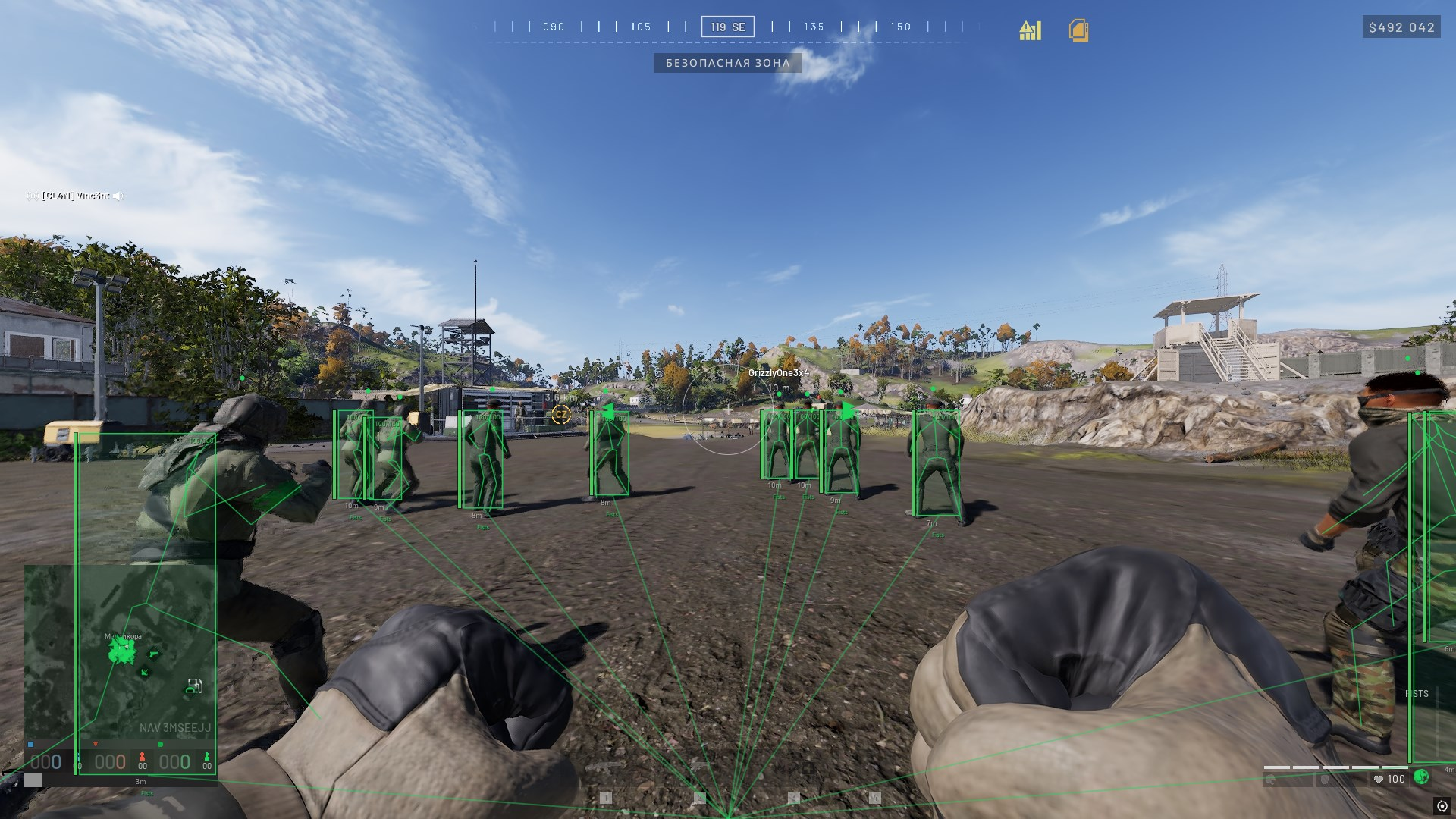
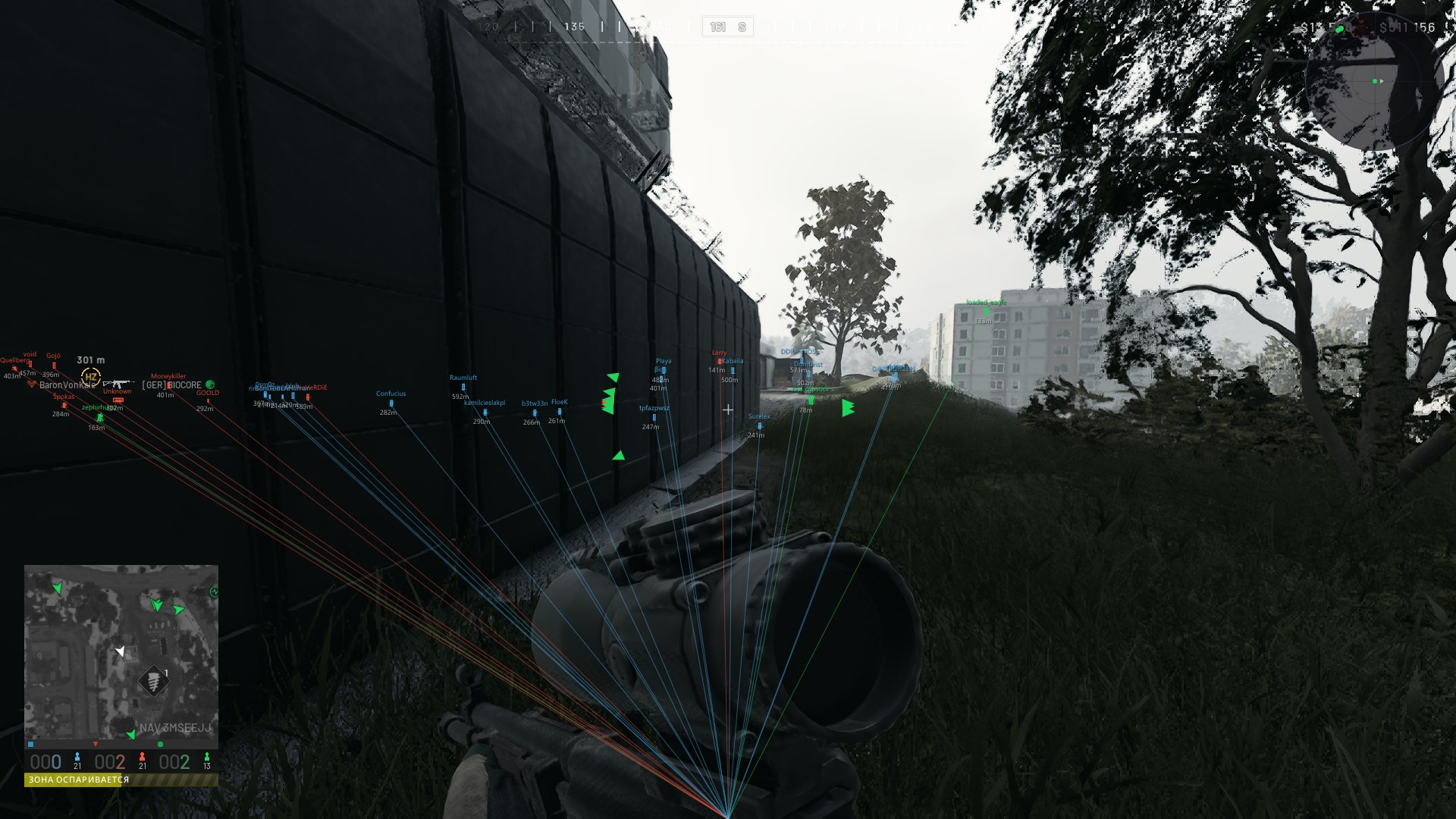
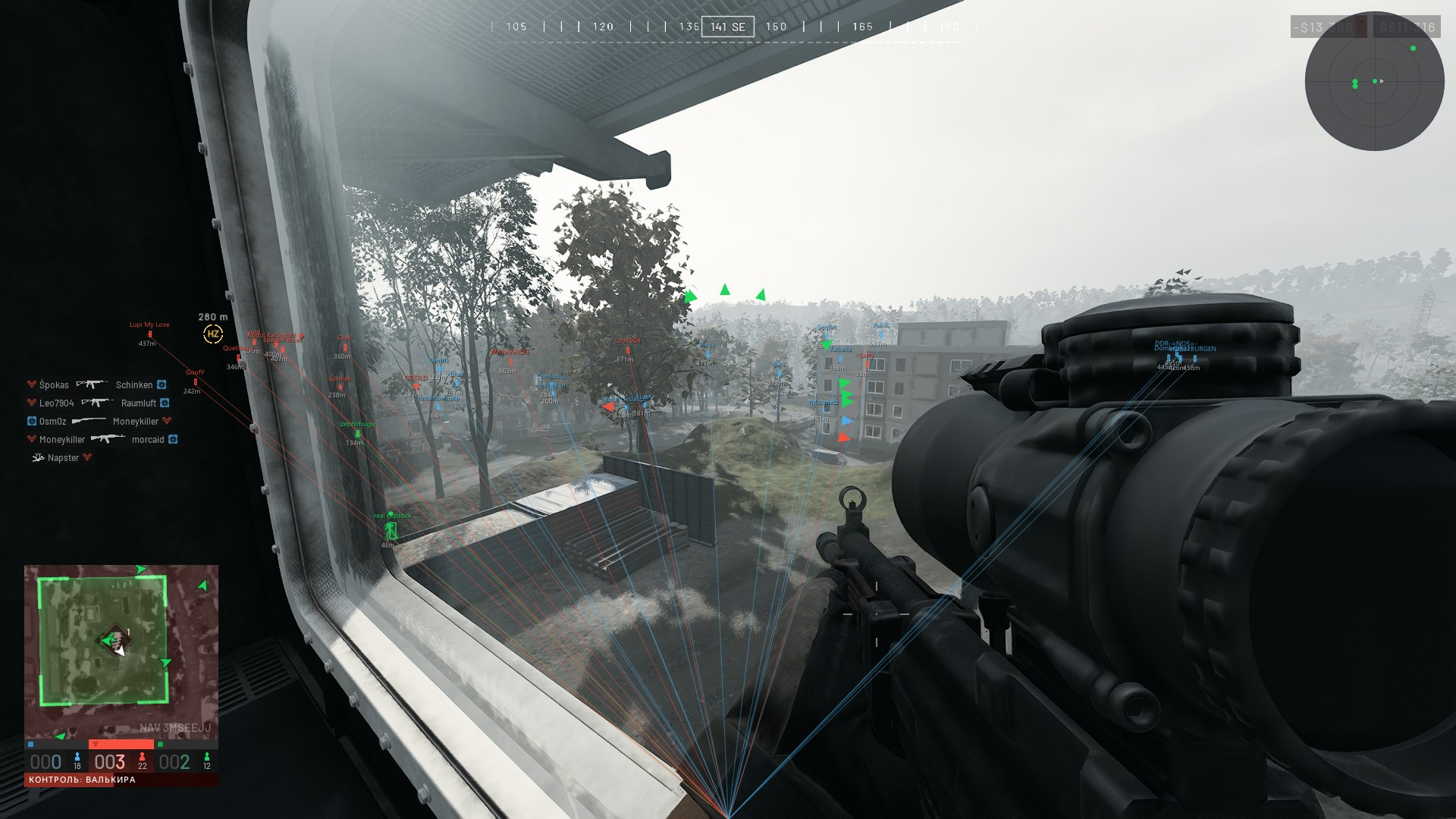
- Player boxes, names, distance and skeleton
- Minimap radar and in-game map markers
- Team colours, configs and RU / EN interface
- 1 day
- 200 ₽
- 7 days
- 700 ₽
- 30 days
- 1700 ₽
Choose your duration on the payment page.
Players
- Elements
- ESP enabled
- Boxes
- Names
- Distance
- Skeleton
- Snap lines
- Show all joints
- Use entity color — for the skeleton
- ESP enabled
- Crosshair
- Crosshair style (None / Cross / Dot)
- Line thickness — for the cross
- Dot size — for the dot
- Horizontal extension — for the cross: 0–100%, extending left and right to the screen edges
- Vertical extension — for the cross: 0–100%, extending up and down to the screen edges
- Crosshair style (None / Cross / Dot)
- Filters
- Dead bodies
- Teammates
- Real player team colors
- Dead bodies
- Distances
- Max distance — 10–1000 m
- Skeleton distance — 10–1000 m
- Text size
- Max distance — 10–1000 m
- Box appearance
- Box style (Full rectangle / Corners / Shadow / Top and bottom bars)
- Box thickness
- Box opacity
- Fill opacity
- Corner length — for Corners and Top and bottom bars
- Corner thickness — for Corners
- Box color by visibility — experimental render-based estimate
- Box color: visible enemy
- Box color: hidden enemy
- Box style (Full rectangle / Corners / Shadow / Top and bottom bars)
- Snap lines (when enabled)
- Line origin (Bottom / Center / Top)
- Line thickness
- Line origin (Bottom / Center / Top)
- Smoothing
- Smooth boxes
- Box response
- Smooth skeleton
- Skeleton response
- Smooth boxes
Radar
- Global
- Radar enabled
- Radar enabled
- Layout
- Size
- Range — 10–1000 m
- Opacity
- X position (0 = left, 1 = right)
- Y position (0 = top, 1 = bottom)
- Shape (Circle / Square)
- Size
- Features
- Rotate with camera
- Show names
- Show view direction
- Rotate with camera
- In-game maps
- Markers on minimap
- Markers on map (M)
- Player view directions
- Extend line to me
- Markers on minimap
Skeleton
- Global
- Skeleton
- Skeleton distance — 10–1000 m
- Skeleton opacity
- Skeleton glow
- Glow scale
- Show all joints
- Use entity color
- Smooth skeleton
- Skeleton response
- Skeleton
- Skeleton customizer
- Edit selection
- All bones together
- Head
- Neck
- Spine to pelvis
- Left shoulder
- Right shoulder
- Left upper arm
- Left forearm
- Right upper arm
- Right forearm
- Left thigh
- Right thigh
- Left calf
- Left foot
- Right calf
- Right foot
- All bones together
- Visible
- Thickness
- Line color
- Joint dot
- Joint radius
- Joint color
- Reset selected bone
- Reset all bones
- Edit selection
Colors
- ESP colors
- Dead
- Unknown
- Outline
- Distance
- Snap line color
- Line opacity
- Dead
- Team colors
- Team 0
- Team 1
- Team 2
- Team 0
- Reset colors
System
- Hotkeys
- Menu toggle
- ESP toggle
- Exit
- Menu toggle
- Display
- Menu scale
- Menu opacity
- VSync
- Hide overlay from capture
- Overlay visibility (Game only / Always / Radar when unfocused)
- Menu scale
Config
- Save
- Config name
- Save config
- Config name
- Saved configs
- Select a config from the list
- Load config
- Delete config
- Refresh list
- Select a config from the list
- Reset
- Reset all settings
- Reset all settings
Menu interface
- Language (Russian / English)
- Settings search with navigation to the control (Ctrl+F, slash key, or search button)
- Manual slider value entry (double-click the value; Enter or Space when focused)
- ESP and skeleton preview on the Players and Skeleton tabs
- Remaining subscription time
- Move the window by dragging the title bar
- Close menu (close button / Esc)
- Operating system
- Windows 10 / 11 (2004–25H2), x64 Official image only
- Processor
- Intel / AMD
- Graphics card
- Nvidia / AMD
- Game mode
- Borderless window
- Client
- Steam
- Included spoofer
- No
- Disk format
- GPT
- BIOS
- UEFI
- Information
- Hardware virtualization enabled Secure Boot and TPM disabled
How do Full and Lite differ?
Lite includes player visuals, radar and the skeleton editor. Full adds aiming, combat features and world objects.
Are configs and Russian supported?
Yes. Both products support configs and Russian and English interfaces.
Where is projectile teleport available?
Projectile teleport is included in Full.